
This document contains the official software upgrade package download address for the Xiaozhi Elf device provided by Zhidrive Company. The Xiaozhi Elf software will continue to have iterative upgrades with new features, and it adheres to the basic principle of backward compatibility between versions. When users are performing a version upgrade, they must adhere to a basic principle:
- Upgrades to new versions must be done one version at a time; skip-level upgrades are not allowed. For example, if the device version number is 3.2.6, based on this version, you can only download the 3.2.7 upgrade package to import and upgrade, then download 3.2.8 to import and upgrade, and so on.
Download address of the upgrade package
Baidu Netdisk link:https://pan.baidu.com/s/14UL_nNlazgkkxwZ4RvtoAQ?pwd=0000 Extraction code:0000
Algorithm package download address
Baidu Netdisk link: https://pan.baidu.com/s/1HUITNUOr8KTIZ6_5Ha1yVA
Extraction code:0000
Upgrade method
First, check the current model and version of the device. On the device's system page, find [System Settings] - [Device Upgrade] in the left sidebar, as shown in the following figure:
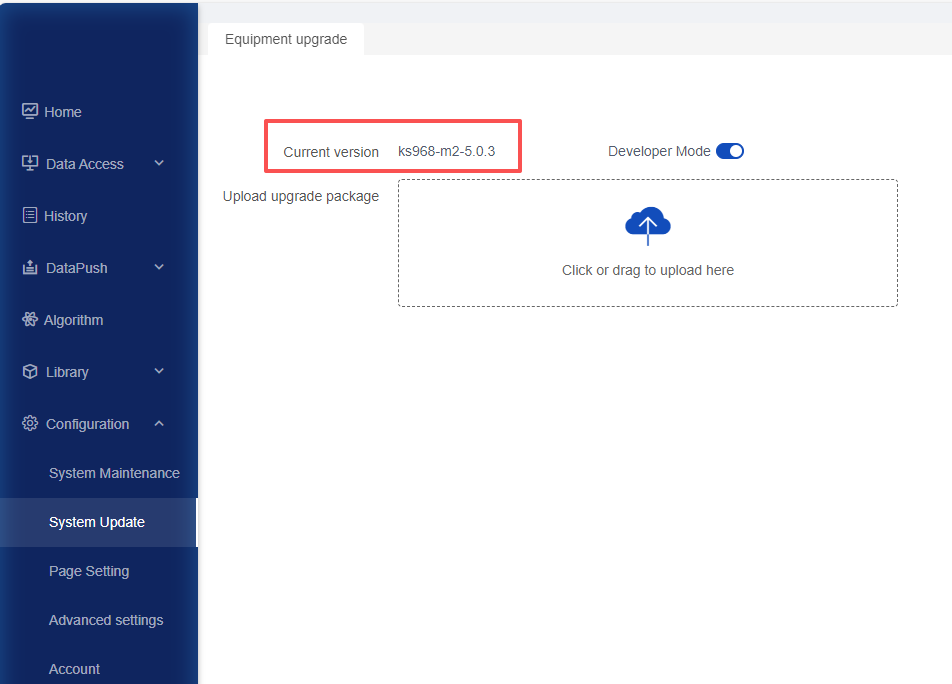
【ks968-m2】is the device model, and 【5.0.3】is the device version. Based on these two pieces of information, download the nearest new software package corresponding to the model from the network disk. First, enter the Xiaozhi Elf software upgrade package folder. As follows, you should select ks968-m2-5.0.4-upgrade.bin:
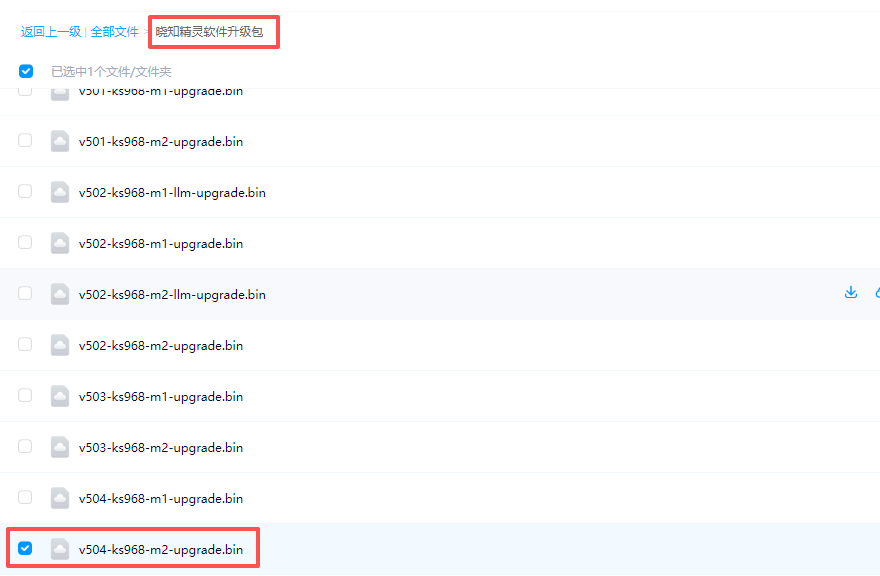
To emphasize again: Versions cannot be upgraded in a leapfrog manner.
If your device version is ks968-m2-5.0.3, then you can only choose the upgrade package of ks968-m2-5.0.4 to import into the device.
5.0.3 upgrading to 5.0.4 requires re-importing the algorithm package, and there is no need to reconfigure the algorithm.
Regarding whether the algorithm package needs to be re-imported or configured
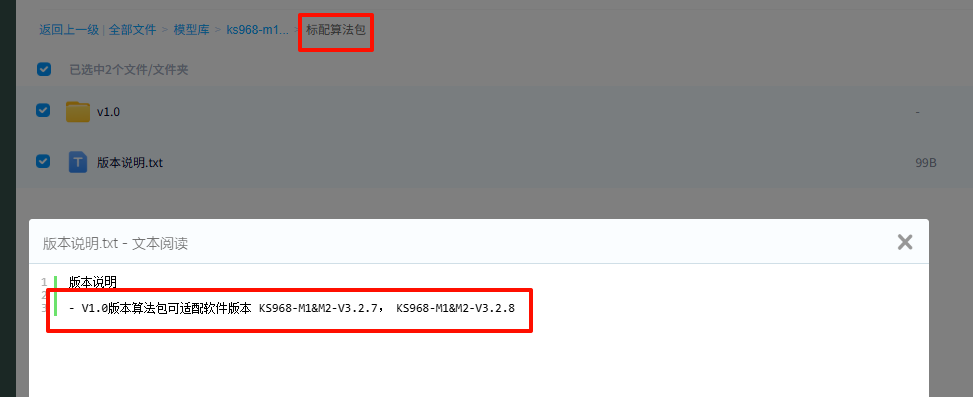
When upgrading from 5.0.3 to 5.0.4, you need to re-import the algorithm package. There is no need to reconfigure the algorithm. Enter the ks968-m1&m2/ks988-m1 folder according to your device model. Among them, the standard algorithm package includes 39 standard algorithm packages that come with the product upon delivery, and the optional algorithm packages are not included in the delivery. You can download them according to your needs.
Both the standard algorithm package and the optional algorithm package have version descriptions, as shown in the following figure:
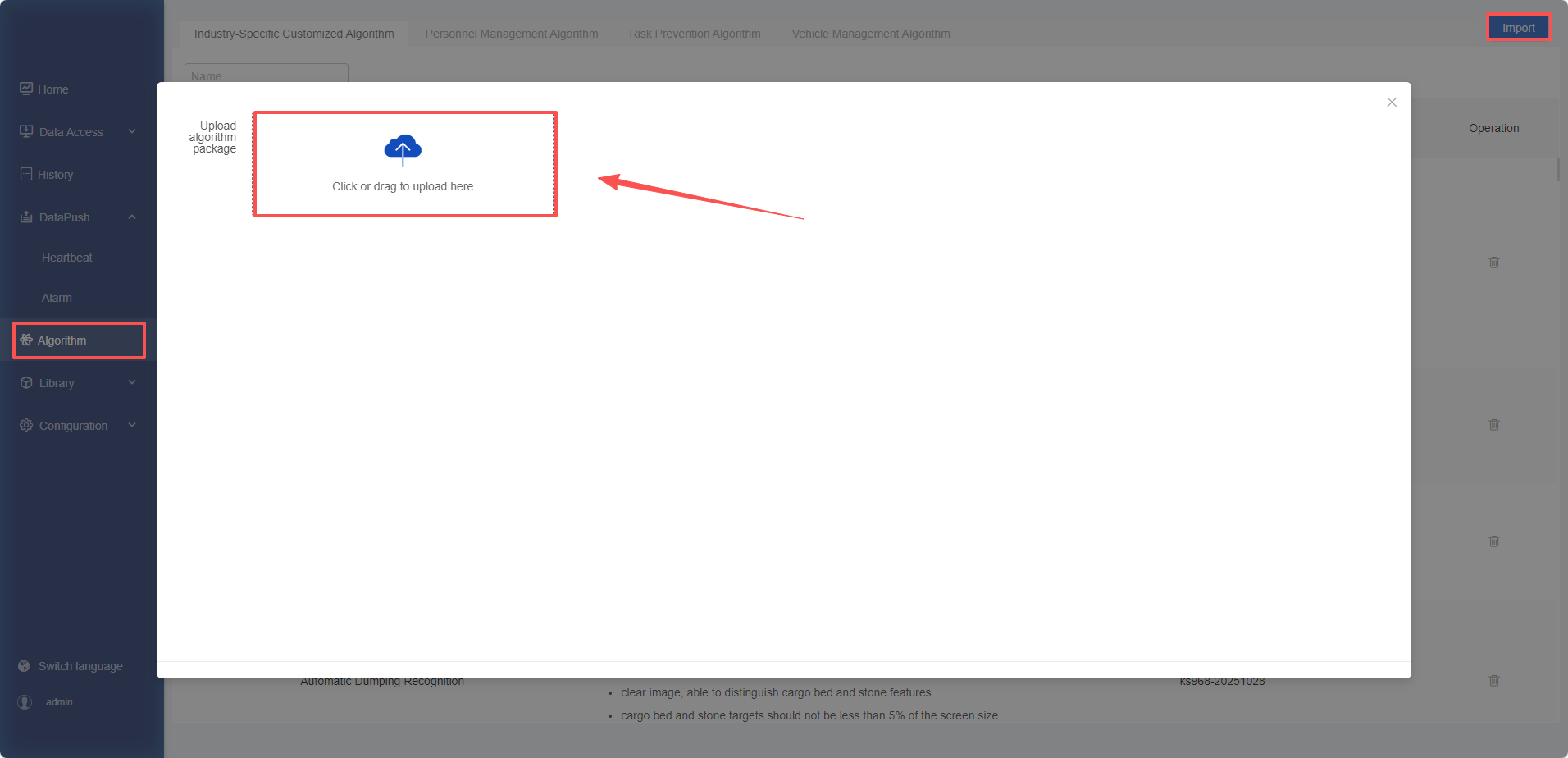
After upgrading to the target version, you can upload the bin file of the corresponding version of the algorithm package from [Algorithm Repository] - [Algorithm Import].
回复