
How to Remotely Test the Zhiquli Product?
To facilitate users to quickly test the functions and algorithm capabilities of the edge computing box product, our company provides a remote access test link. During the test, you can use a public network video stream address (such as Ezviz RTSP stream) or upload a video file.
1. Notes (Important!!!)
- Basic requirements for the computer accessing the system page: ≥ WIN11, ≥ I5 CPU, must use the latest version of Chrome browser (version number ≥138)!
- Remote access is limited by the number of visitors and public cloud bandwidth, so there may be freezes or failure to play real-time images!
- Since the software supports custom LOGO, title, etc., test users may make modifications, so there may be display differences each time you log in!
- The duration of the uploaded video file must be at least one minute!
2. How to Upload a Video File
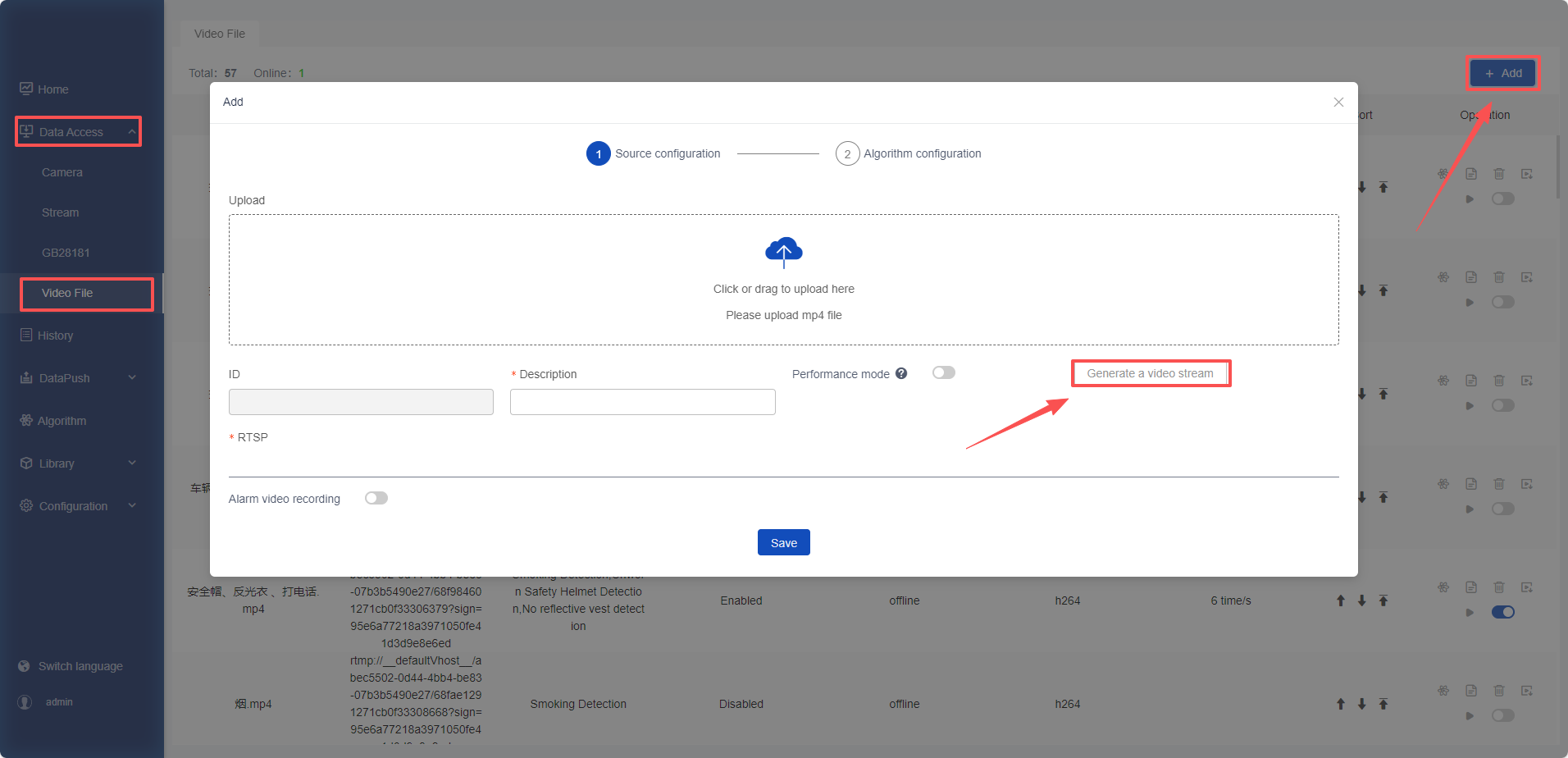
- Click the [Add] button in [Data Access] -> [Video Files] and upload a video file in
mp4format. - After the upload is completed, click [Generate Video Stream], and then you can configure the algorithm normally.
- When adding a video file, the performance mode is enabled by default. In this mode, only the currently uploaded video file will be enabled, and all other cameras, video streams, and video files will be forcibly disabled.
3. How to Play a Video File
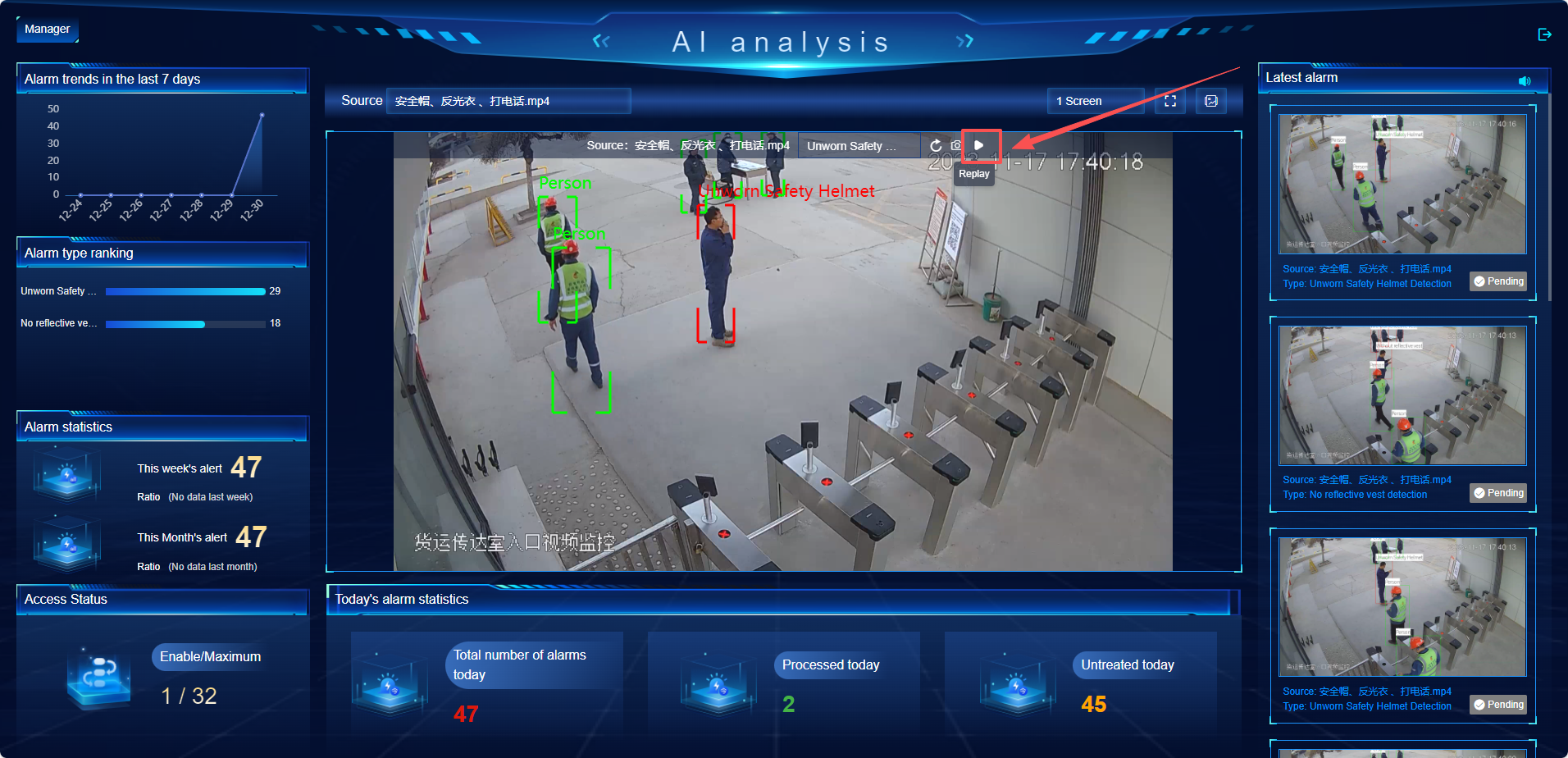
- You must click the [Replay] button on the page before playing the real-time image of the video file.
- If you need to re-analyze the video file or if the video is black screen, you need to click the [Replay] button.
- The playback effect of different video files varies. After clicking the [Replay] button, if you cannot see the image or the image is stuck, wait for about 10 seconds at most and it will return to normal.
4. Remote Test Links
Product name: Xiaozhi Elf Edge Computing Box
Address 1 (Box): http://124.128.90.163:9092 (Enter in the browser)
Address 2 (Server Large Model): http://124.128.90.162:9092 (Enter in the browser)
Account: admin
Password: 123456
Operation Manual: https://bbs.aidrive-tech.com/column/3/1
回复